







People
Everyone you talk to has a page.
Type @Ben-Adler in any note, and that line lands on Ben’s page, with everything else you’ve written about them. Before your next 1:1, it’s all there.
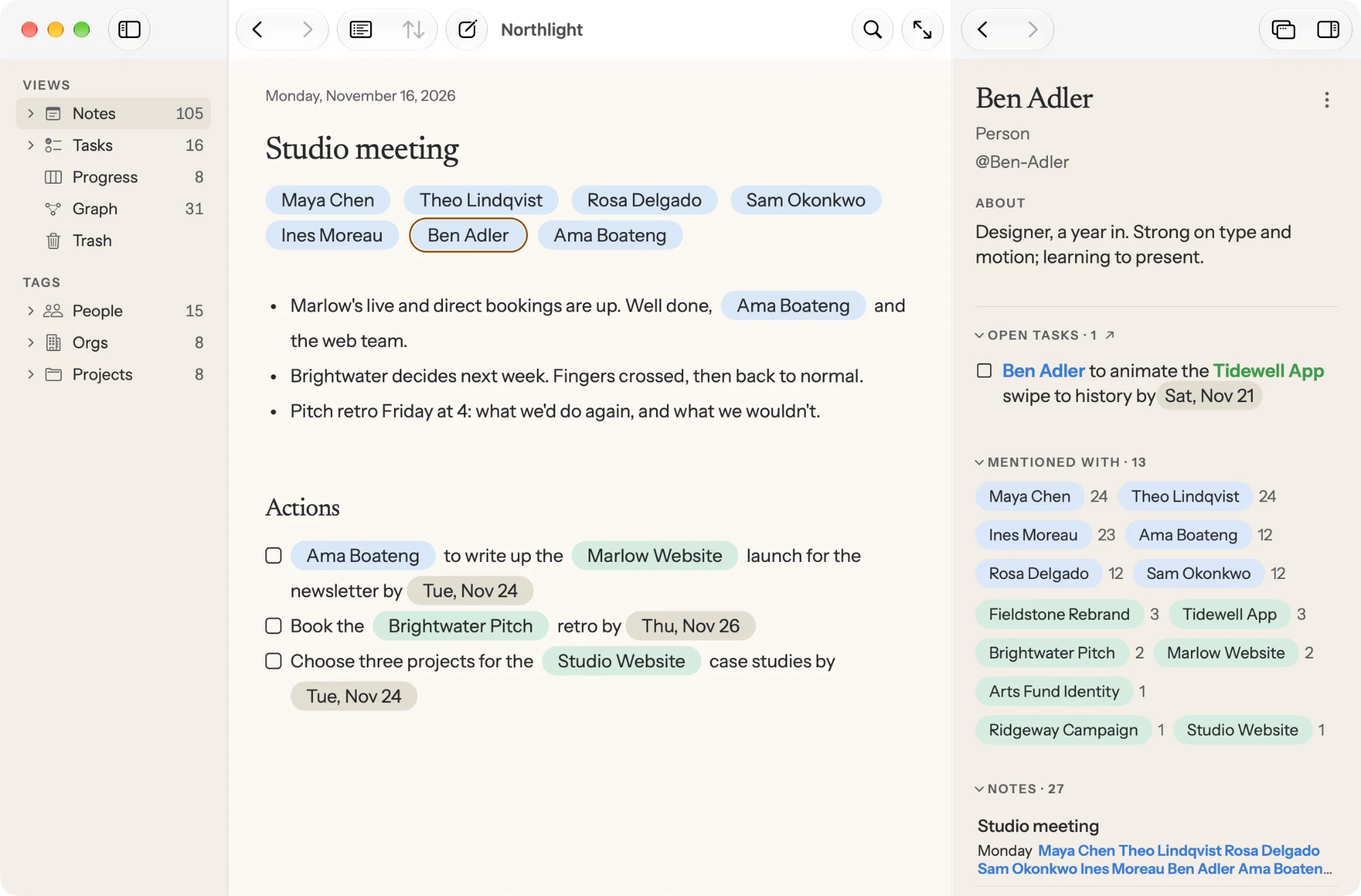
Your notes about the people your work with, the projects you work on, and the promises made along the way, filed for you, in the privacy of your own Mac. For free. Forever.
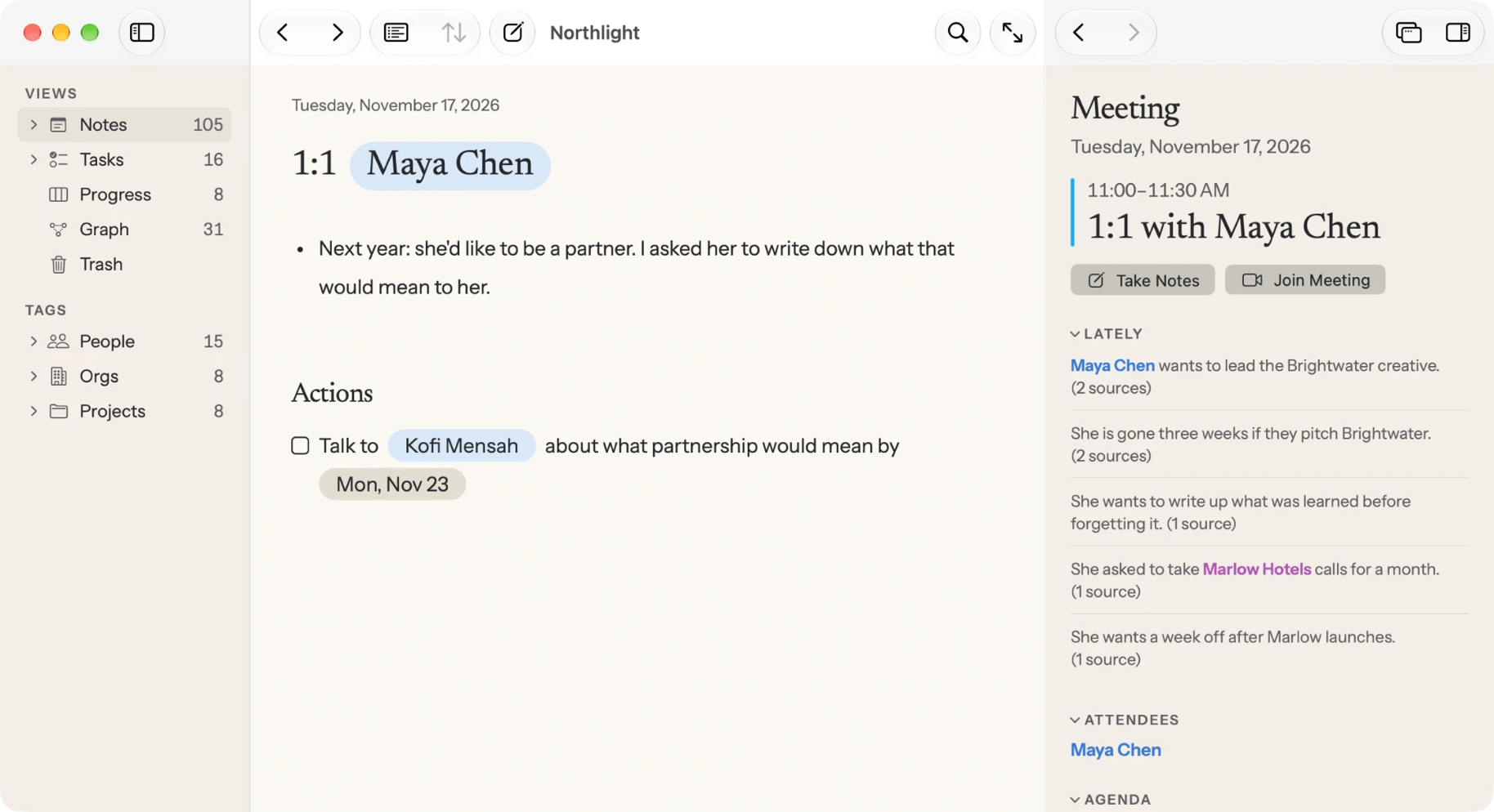
Everyone’s racing to record, transcribe, and summarize your meetings. But transcripts only capture what was said. A note captures what you thought. Puli tends your thoughts.
Other note-taking apps make you pick a folder. But a note about Dana and the Q3 launch belongs to both. Tag them, and Puli puts the note in both places, ready to recall the next time either is mentioned.
02How Puli Works
People
Type @Ben-Adler in any note, and that line lands on Ben’s page, with everything else you’ve written about them. Before your next 1:1, it’s all there.
Projects
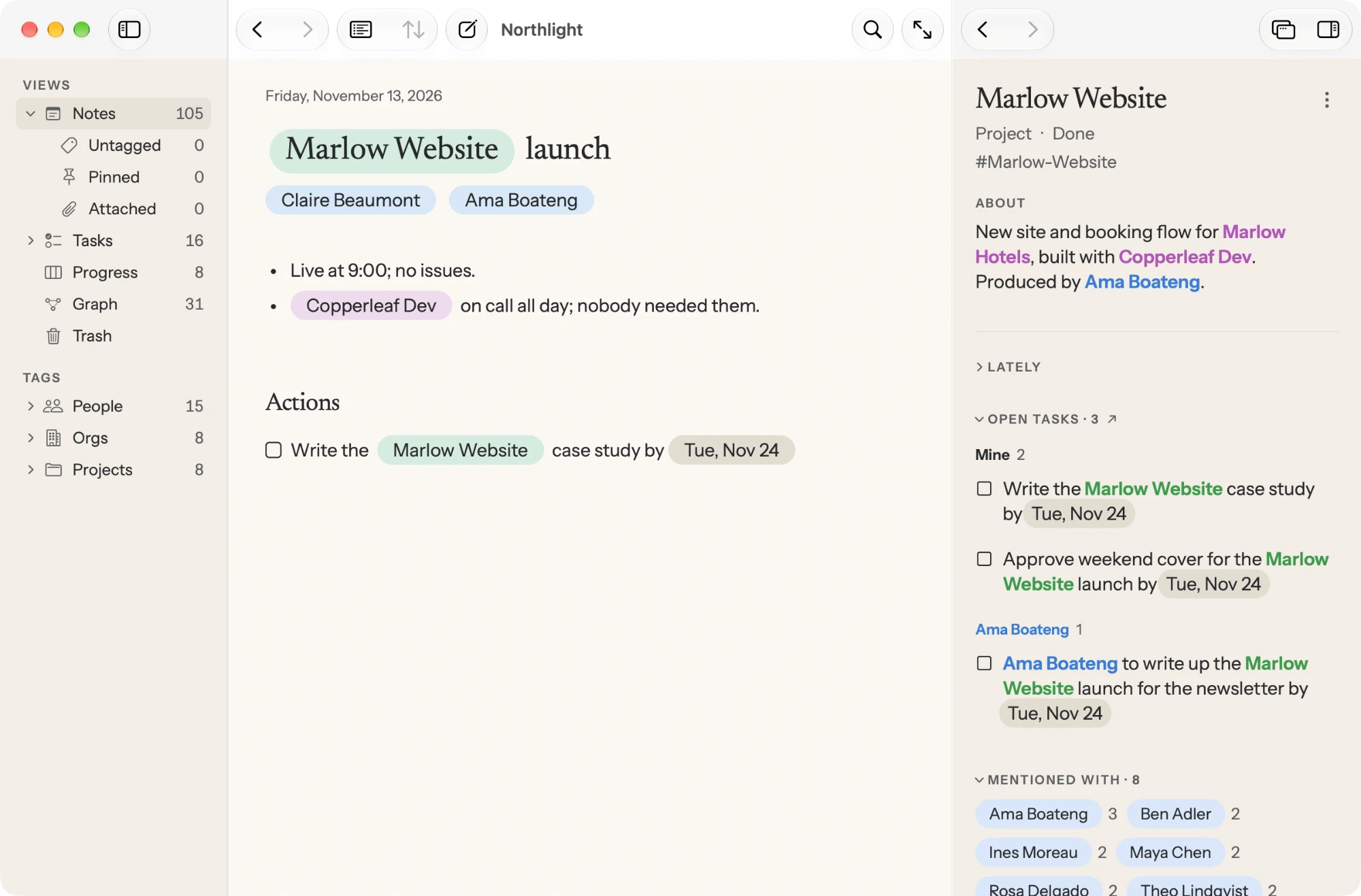
Type #Marlow-Website, and the note joins the project, whichever meeting it came from. See who it comes up with, and what’s been said lately.
Promises
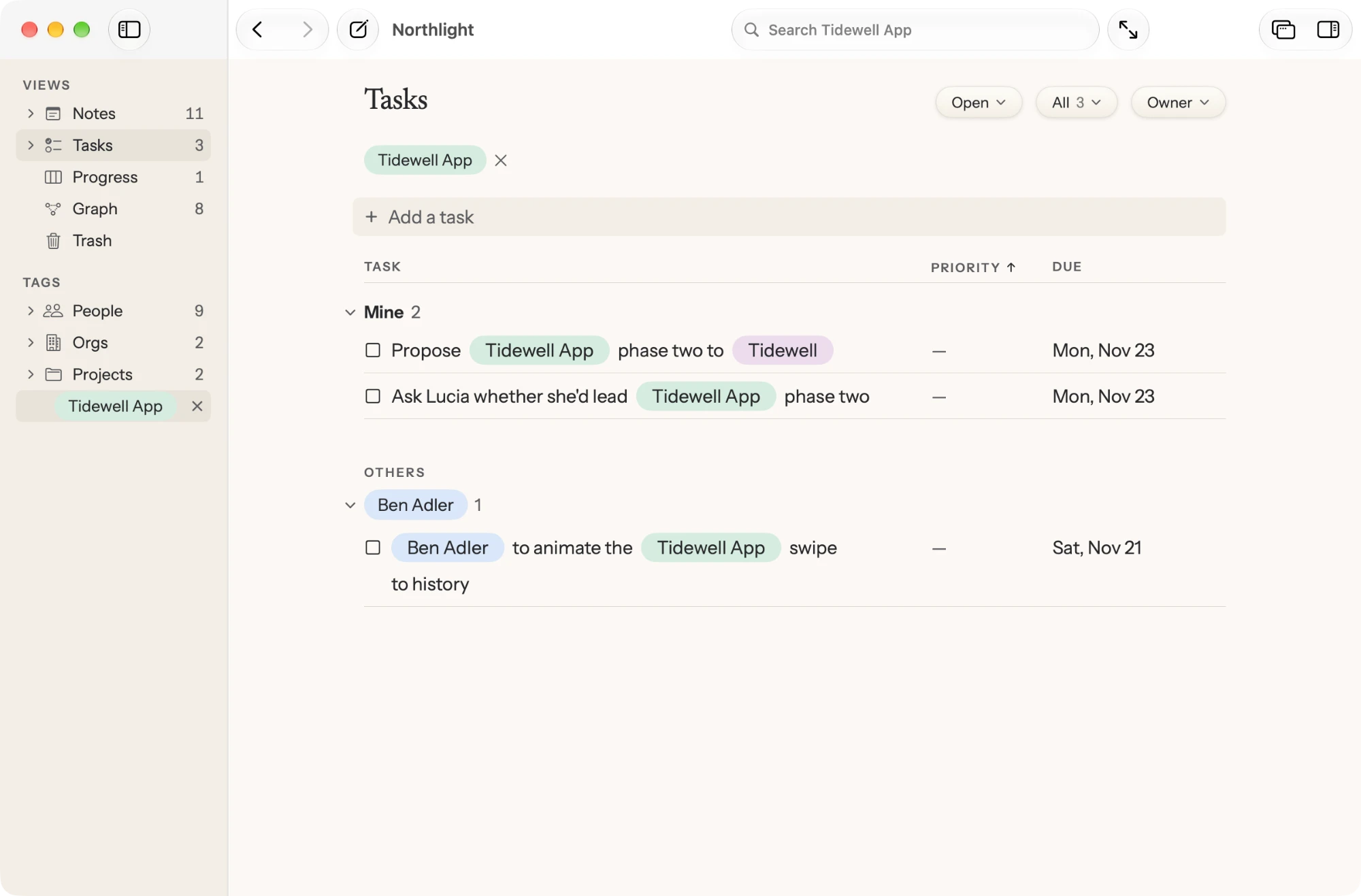
Start a line with [], and it’s a task. Start it with someone’s name, and it’s a promise they made to you. Puli keeps track of both, so nothing wanders off.
03Pricing
Taking notes and capturing tasks are always free. You can teach Puli new tricks by purchasing lessons.
04Promises
No recordings, transcripts or bots. Your notes live on your Macs and in your own iCloud, encrypted with keys in your keychain. We never see them. Apple can’t even see them.
The app is intentionally calm. There are no red bubbles and no advertisements to break your train of thought.
Once you purchase a lesson, it’s yours to keep. You paid for it. It’s yours.
05Questions
Still curious? Ask us.
It’s named for a Hungarian herding dog, famous for its corded coat. Say it POO-lee.
A herding dog doesn’t replace the shepherd. The shepherd decides where the sheep go, and the dog keeps the flock together. You decide what matters. Puli makes sure none of it wanders off.
Yes. Everything you need to capture and herd your notes is free, forever. You can improve your experience by purchasing lessons to teach Puli new tricks.
Yes. Every lesson you purchase is yours to keep. You paid for it. It’s yours.
No. Absolutely not. No recordings. No transcriptions. And no bots sending your notes to far-off data centers.
On your Mac, and if you choose, in your own iCloud, encrypted end to end. We never see your notes. And neither does anyone else. Not even Apple.
Puli works on any Mac running macOS 15 or later.
Some features can leverage your Mac’s onboard Apple Intelligence which requires a Mac with Apple silicon running macOS 26 or later.
After a decade of managing people and many years of recorded meetings, I realized I didn’t need to capture more information. And I didn’t need transcriptions of everything that was said. What I wanted was a place to capture my thoughts and surface them again when relevant.
I built Puli to herd your thoughts into all the right places, so the context you need is right there when you need it.
Alan Ridlehoover
Founder, Deliberate Software

Coming soon to the Mac App Store.